Screens people understand the first time they see them.
We design websites, apps and business software around what your users are trying to do. Fewer clicks, clearer screens and fewer calls asking how things work.
- ResearchInterviews with users and staff
- Information architectureMenus and navigation that make sense
- Wireframes and prototypesLow-fidelity layouts to agree structure
- Visual designLayouts, type and colour
- Design systemsReusable components and patterns
- Usability and accessibilityTests with real users
What UI and UX design means for your business.
UX design is how a product works: what users see first, what they tap next, how long tasks take. UI design is how it looks: layout, type, colour and buttons. Good design needs both, and it starts with watching real users.
For a customer app, clear design means more completed orders and fewer abandoned carts. For internal software, it means staff use the system instead of working around it. We design for Indian users on real devices, including mid-range phones and people who read Hindi or regional languages.
You get clickable prototypes to test before any code is written. You also get a design system your developers can reuse, so new screens stay consistent. Whether we build it or your team does, the handover files are complete, organised and easy to follow.
What changes. The everyday problems we hear most, and what fixes them.
TodayUsers ask for help with tasks that should be obvious.
With AviralScreens are tested with real users and simplified before build.
TodayEvery screen looks slightly different from the last.
With AviralA shared design system keeps buttons, forms and colours consistent.
TodayDevelopers guess at spacing, states and error messages.
With AviralFigma files document every state, spacing rule and component.
TodayStaff keep using Excel because the software feels harder.
With AviralWorkflows designed around daily tasks, with fewer fields per screen.
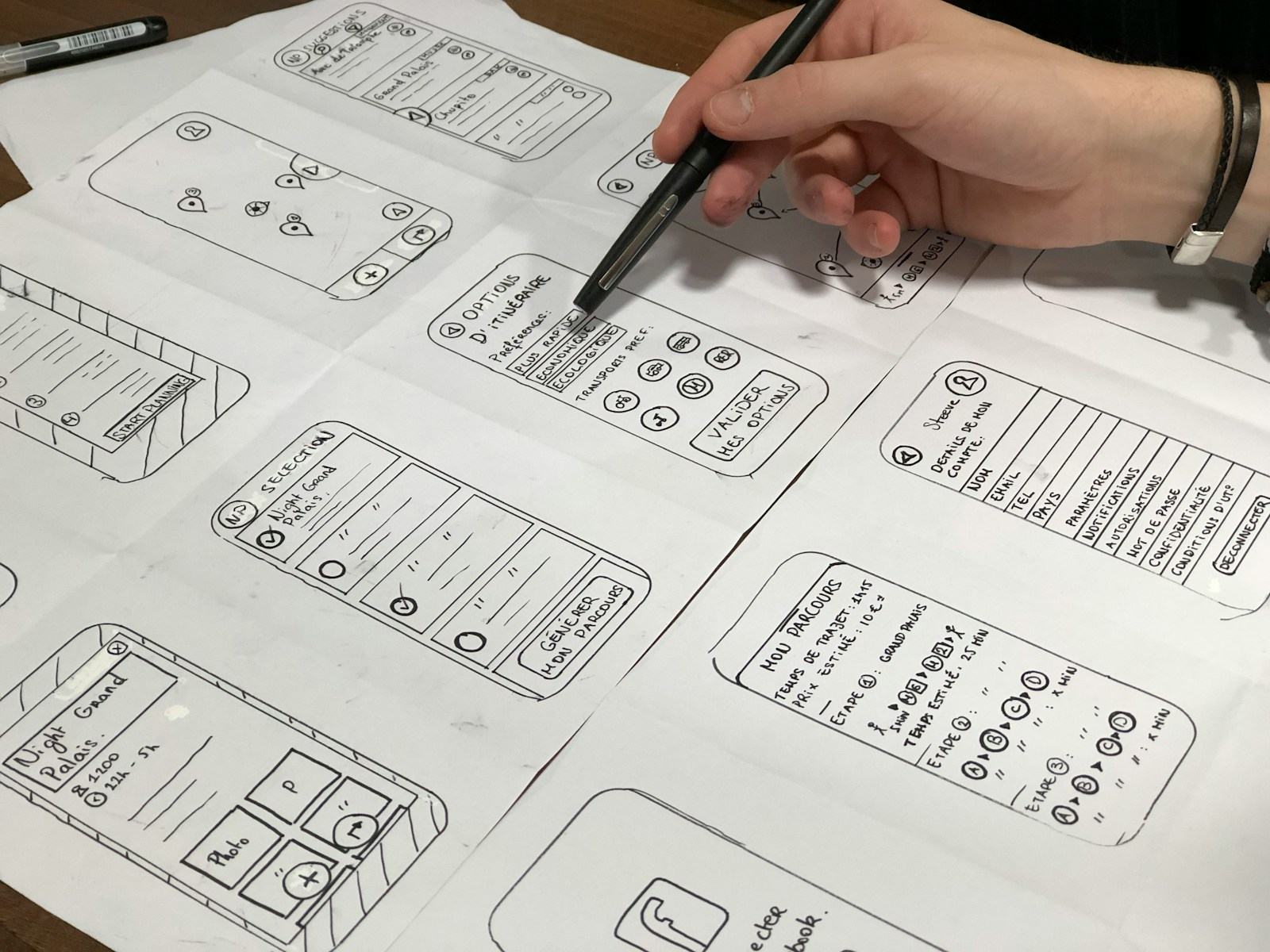
Screens are tested with real users and simplified before build.
- ResearchOn
- Information architectureOn
- Wireframes and prototypesOn
- Visual designOn
What's included. Shaped around your process. You only pay for what you need.
Research
- Interviews with users and staff
- Review of analytics and support calls
- Competitor and journey mapping
Information architecture
- Menus and navigation that make sense
- User flows for key tasks
- Content hierarchy for each screen
Wireframes and prototypes
- Low-fidelity layouts to agree structure
- Clickable prototypes in Figma
- Tested before development starts
Visual design
- Layouts, type and colour
- Icons and illustrations
- Light and dark themes
Design systems
- Reusable components and patterns
- Tokens for colour and spacing
- Documentation for developers
Usability and accessibility
- Tests with real users
- Readable contrast and tap targets
- Support for Indian languages
From a confusing screen to a clear one. Then tested again once it's live.
Map
We learn who your users are and where they get stuck.
Design
Wireframes, then visual designs for each key flow.
Test
Clickable prototypes tried by real users, then refined.
Hand over
Figma files, components and notes ready for developers.
Grow
Reviews after launch using analytics and feedback.
What decides the cost. Every project is priced on its scope, in writing, before work starts.
- Number of screens, flows and user types
- Depth of user research and testing needed
- Web, mobile or both
- A new design system, or working within an existing one
- Languages and accessibility requirements
Connects to what you already use.
- Figma
- Clickable prototypes
- User testing tools
- Session recording tools
- Google Analytics
- Component libraries
Questions we get asked.
Do you only design, or also build?
Both. We can design and build the product, or hand complete design files to your own developers. The handover includes components, states and notes.
What tools do you use?
We design in Figma and share clickable prototypes you can open on your phone or laptop. You can view and comment at every stage.
Can you redesign our existing app or software?
Yes. We review the current screens, analytics and user complaints, then redesign the flows that cause the most trouble first.
Do you design for Hindi and regional languages?
Yes. We plan layouts for longer text, different scripts and mixed-language users from the start, not as an afterthought.
How do you test designs?
We put clickable prototypes in front of a few real users and watch where they hesitate. We fix those points before development.
Related.
See it running on your data.
Send a few details. We'll call, ask how you work today, and show you the parts that matter to you.
Prefer to talk now? Call +91 83830 08380